Implementing Application Watchdog Software on Windows - Watchdog Exe
As a professional provider of IoT data acquisition solutions and an expert in industrial IoT data acquisition, the editor of Shanghai Data Acquisition IOT Technology Co., Ltd, (daq-iot) hereby presents the following introduction, and sincerely welcomes discussions and exchanges. Supported Communication Interfaces: CAN, RS485, Mbus, 4–20mA, Profibus, CC-Link, HART, digital I/O, etc. Industrial Protocols: Modbus RTU/TCP, HJ212, IEC104, DLT645, DLMS, IEC61850, MQTT, etc. Mail:export@daq-iot.com
1 Product Overview
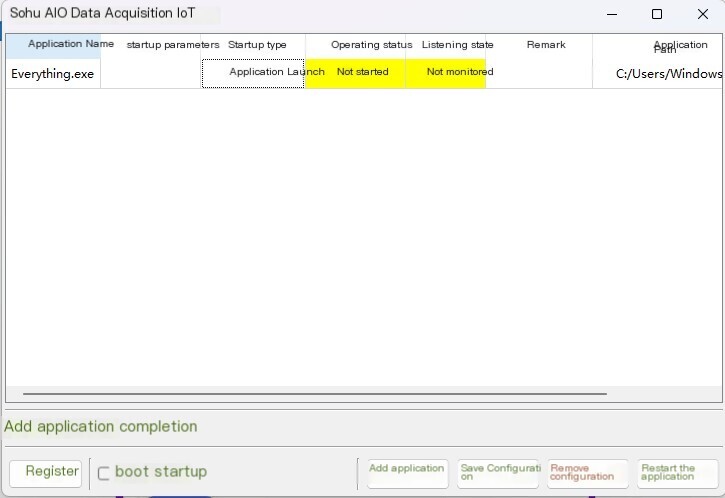
The purpose of this software is to monitor the running of exe programs on computers or servers. When the exe program exits due to abnormalities or other reasons, it will automatically start the exe program. It has a self startup function and can automatically run the monitoring program itself and start the monitored exe program after booting up
2 software installation
This software is a pure green software that does not require installation. Simply unzip it to any location on the system to run.
3 Software Description
3.1 Software Catalog
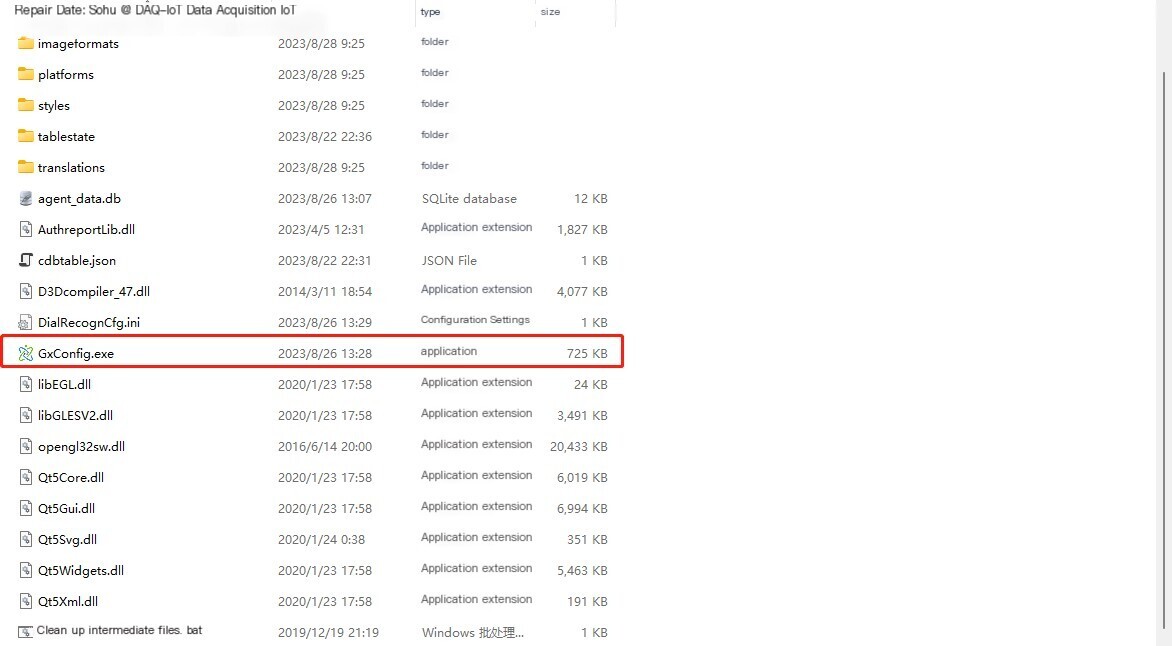
3.2 Initial software startup
The user needs to register the software for the first time, and the software will automatically recognize itmachine code
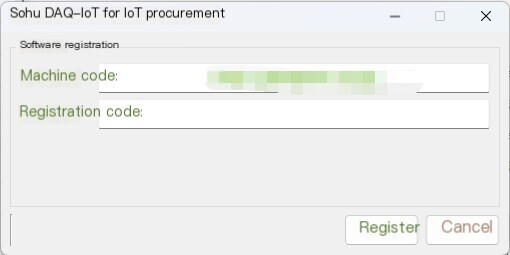
The user needs to contact our technical personnel. After providing the machine code, our technical personnel will provide itregistration codeTo the user
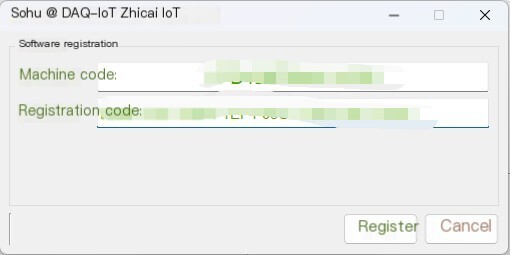
Enter the registration code and click register to enter the main program
3.3 Software Usage
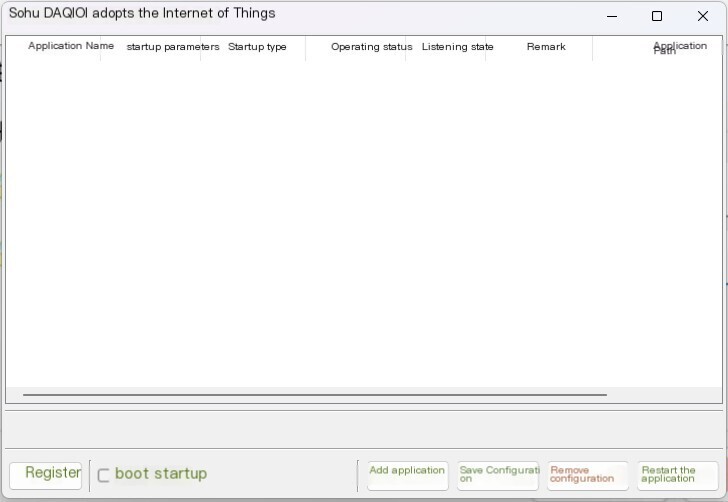
In the button below the main program
Registration button - Change authorization or reauthorize
Startup - Check the box to automatically start the program upon startup
Add Application - After clicking on the program path, select the monitored program. If additional startup parameters need to be set, they can be set in the startup parameters, and the program can be identified in the program name for easy management
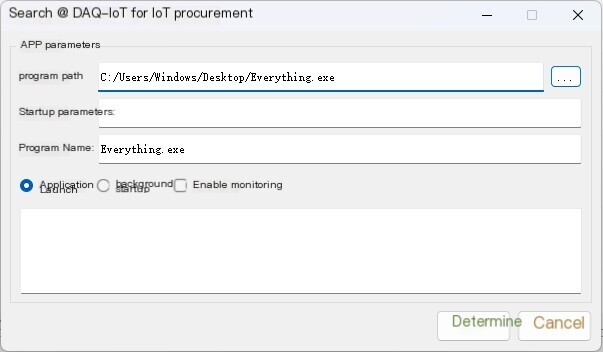
Save Configuration - Save Current Monitoring Configuration
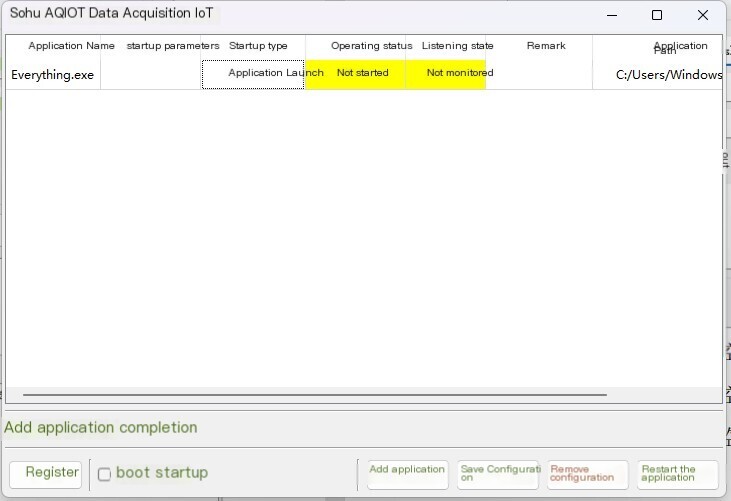
Remove Configuration - Remove the current monitoring configuration
Restart Application - Restart the selected monitored program
Software acquisition link:Watchdog software


评论
发表评论